Skip to content
Winfluxx

Find the funding. Write the application once.

Grants, RFPs and investors in one place. Apply from a listing and your workspace opens with the funder and the listing’s details already in it. Then write the application and design the documents that go with it.

Free to create an account. No card needed.

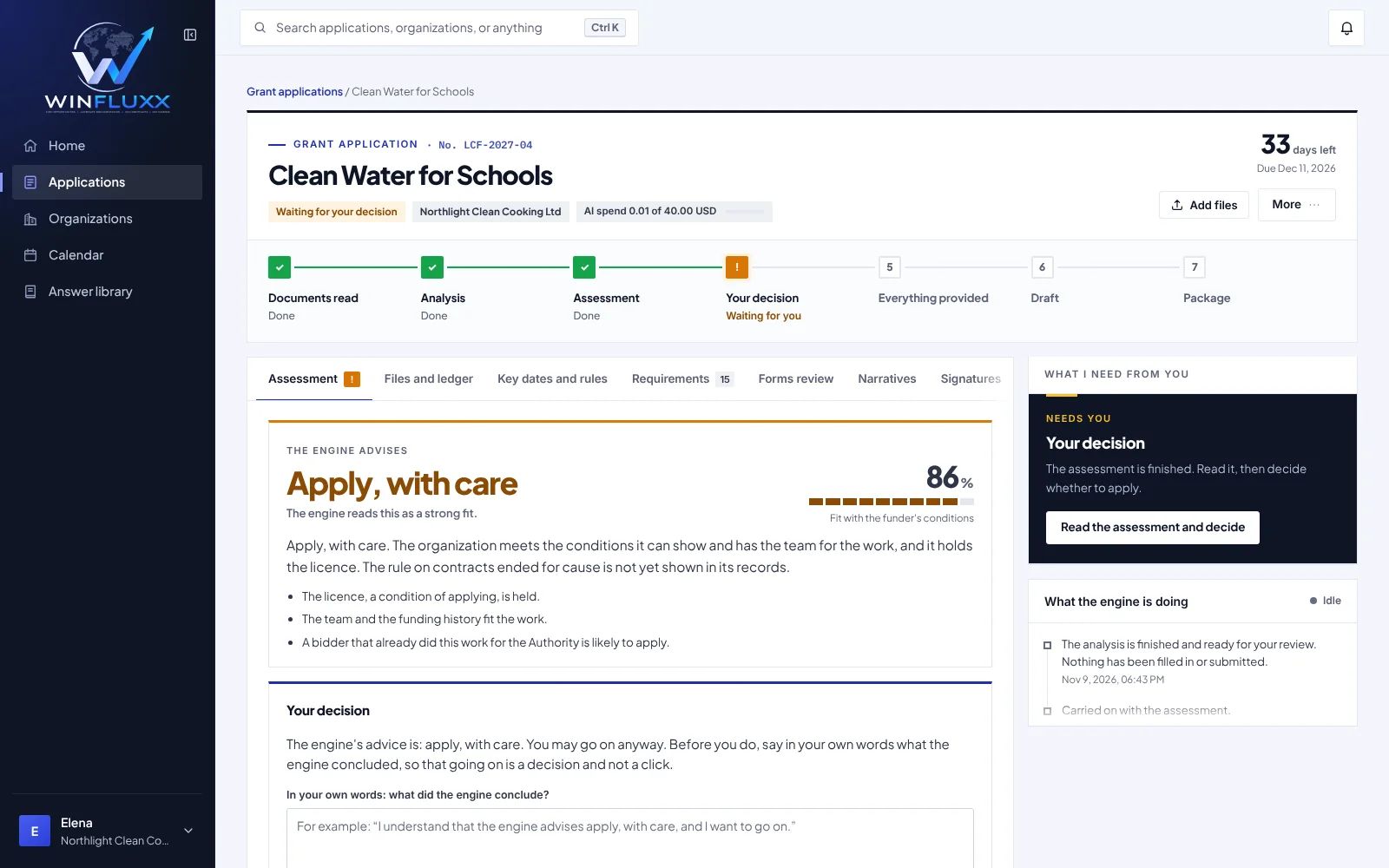
Grant Engine: the engine advises whether to apply, with the seven-step journey and what it needs from you next
  • Fit worked out from the conditionsDecision support, not a promise
  • Every claim traced to a recordGaps are marked, never made up
  • Your brand on every pageNo Winfluxx branding on documents
  • Nothing is sent without youYou send every application

Browse the marketplace before you sign up

Sign up to unlock full requirements, contacts and source links.

Four tools, one account

Find the opportunity, write the response, design the documents. What you enter in one place is there in the next.

  • Marketplace

    Grants, RFPs and capital providers side by side, with filters built for each kind and verified listings flagged.

    • Match scores from your funding profile
    • Deadlines on your dashboard
    • Apply from a listing and the workspace opens filled in
    See the marketplace
  • Grant Engine

    Seven guided steps from the funder’s documents to a package you can send. Rules do the checking, AI does the reading and drafting, you decide.

    • Fit assessed against each condition
    • Forms filled and read back
    • Open items settled before the freeze
    See the Grant Engine
  • RFP Engine

    Upload the solicitation. Get the requirements, a priced bid, filled forms and narrative, and the response package in the issuer’s order.

    • Every obligation listed with its quote
    • Price built from your rates, approved by you
    • Signatures left for a person
    See the RFP Engine
  • Document Builder

    Business plans, pitch decks and proposals in your brand, with a financial model that feeds the document.

    • 14 document types, 43 templates
    • Your logo and colors on every page
    • PDF, Word and PowerPoint downloads
    See the Document Builder

From search to a finished package, on screen

Real screens from Winfluxx, shown with sample data.

Grants, RFPs and investors in one place

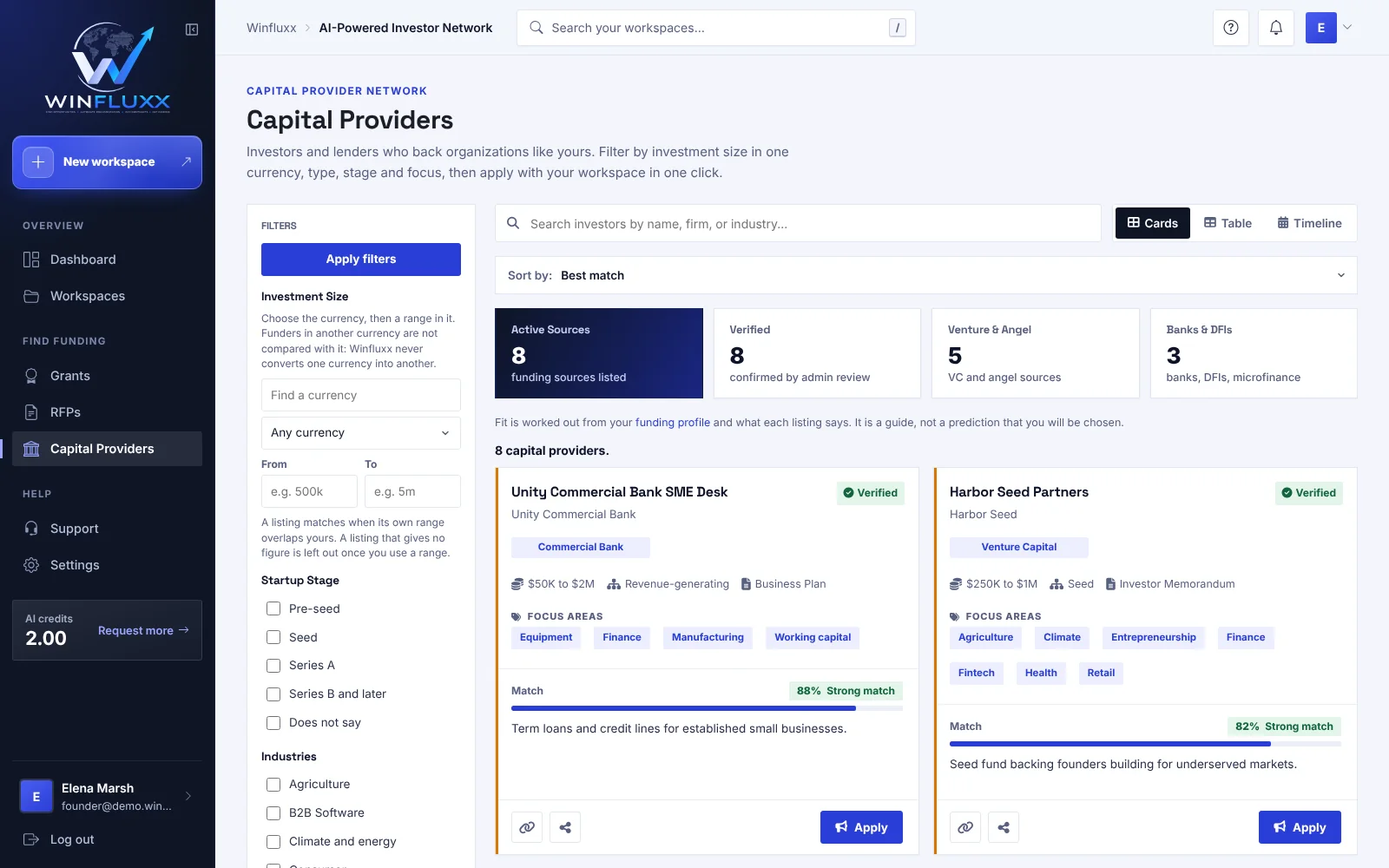
Grants, RFPs and capital providers sit side by side. Filter each one, see what’s closing, and start an application in one click.

  • Filters built for each kind of listing
  • Verified listings are flagged
  • Apply straight from a listing
Winfluxx capital provider search with filters for investment size, startup stage, industry and investor type, and a match score on every card

Every workspace and deadline in one place

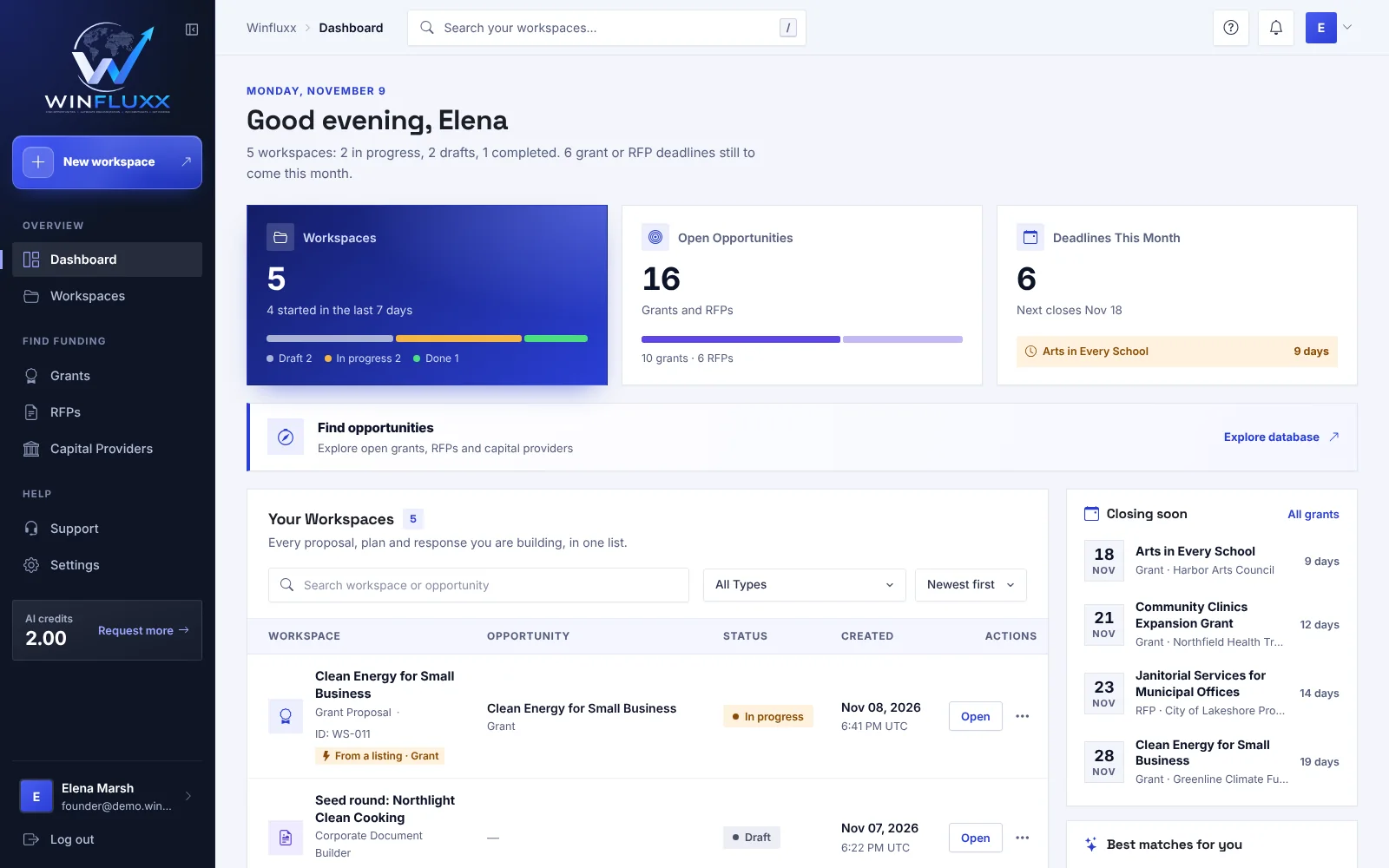
Each application or document you start lives in its own workspace. Open any of them in one click, and invite collaborators when you need help.

  • One workspace per application or document
  • Deadlines and quick actions on your dashboard
  • Collaborators invited per workspace
Winfluxx dashboard with counts of workspaces, drafts, open opportunities and deadlines above a table of the grant and document workspaces

Know where you stand before you write

The engine reads the funder’s documents, weighs your organization against each condition, looks at who else is likely to apply, and tells you whether to go on. The fit level is decision support, not a promise.

  • Each condition shown with the funder’s own words and page
  • Who else is likely to apply, and how to improve your chances
  • You decide, in your own words, before anything is drafted
Grant Engine assessment: the engine advises apply, with care, with a fit level, the seven-step journey and what the engine needs from you next

Forms filled in, read back and checked

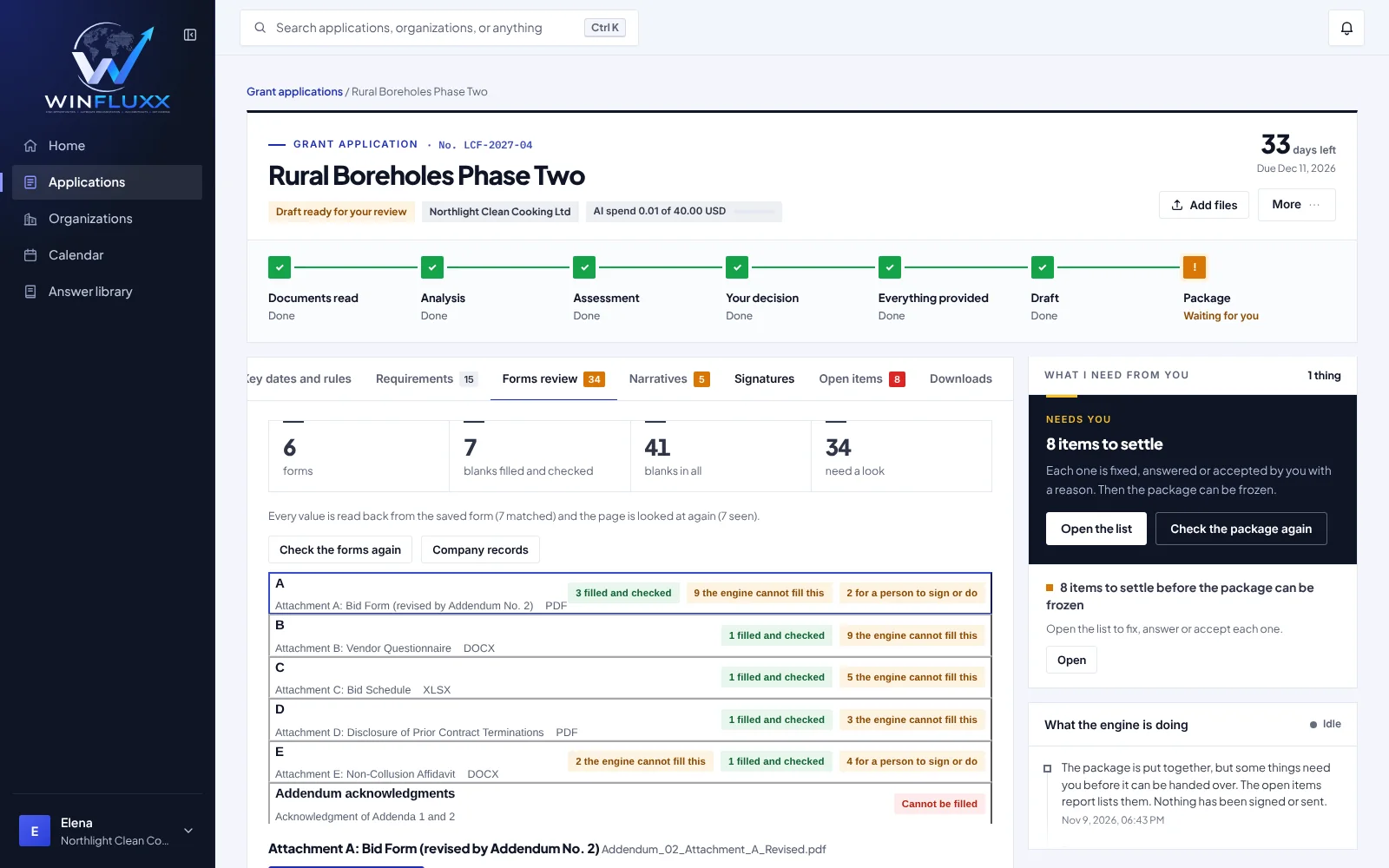
The engine fills in the funder’s forms first, then writes the answers, only from what it holds. Every blank it fills is read back from the saved form, and what it cannot fill is marked for you.

  • Every filled blank read back from the saved form
  • What it cannot fill is marked, never made up
  • Signatures and sworn statements left for a person
Grant Engine forms review: the forms with the blanks filled and checked, the blanks the engine cannot fill and those left for a person to sign

Nothing is left hanging

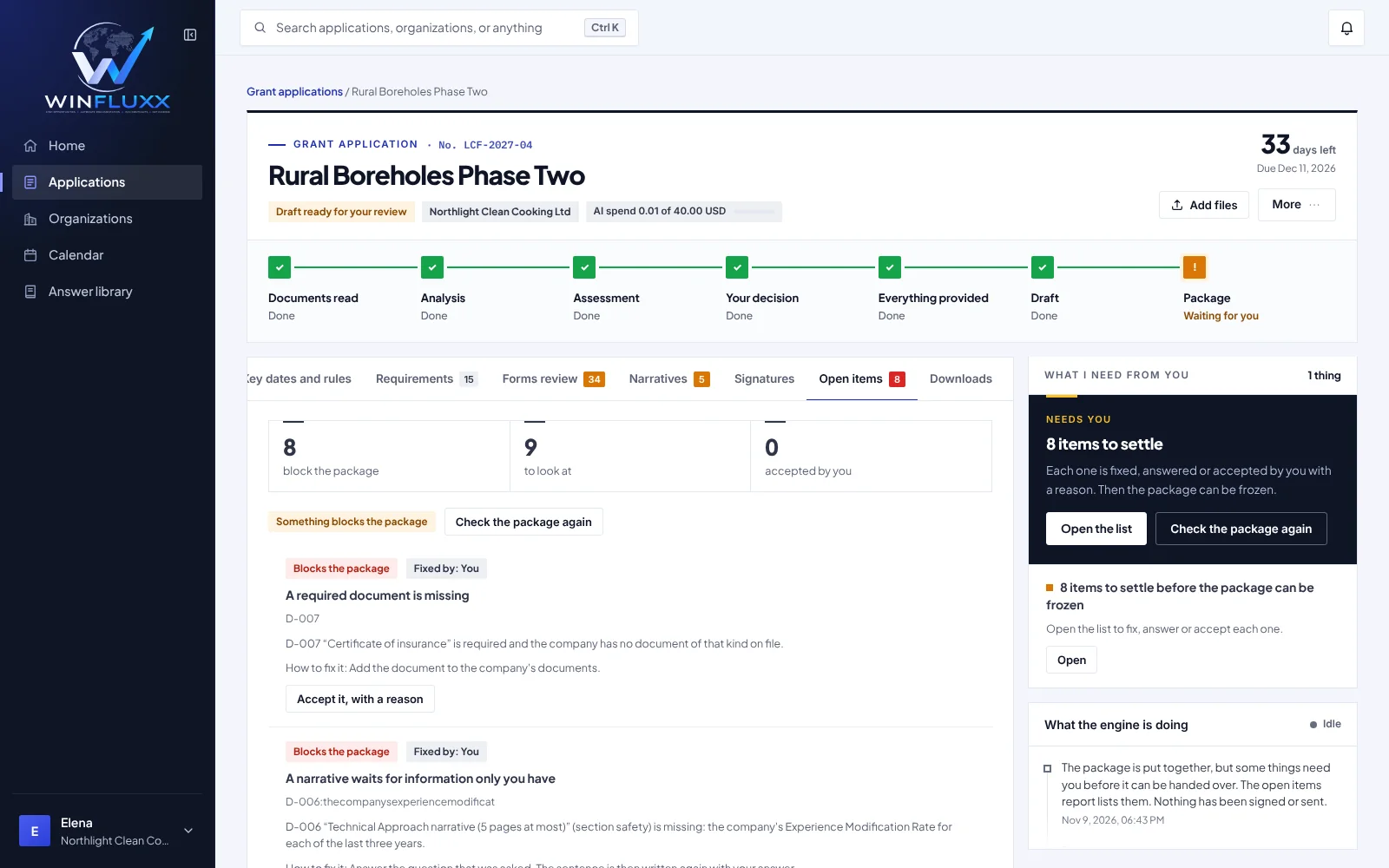
Before the package can be frozen, every open item is fixed, answered, or accepted by you with a reason. Each one says what is wrong, how to fix it, and whether it can be accepted at all.

  • What blocks the package, and what only needs a look
  • A plain how-to-fix line on every item
  • Accept an item, with a reason, only where that is allowed
Grant Engine open items: the items that block the package, each with how to fix it and a button to accept it with a reason

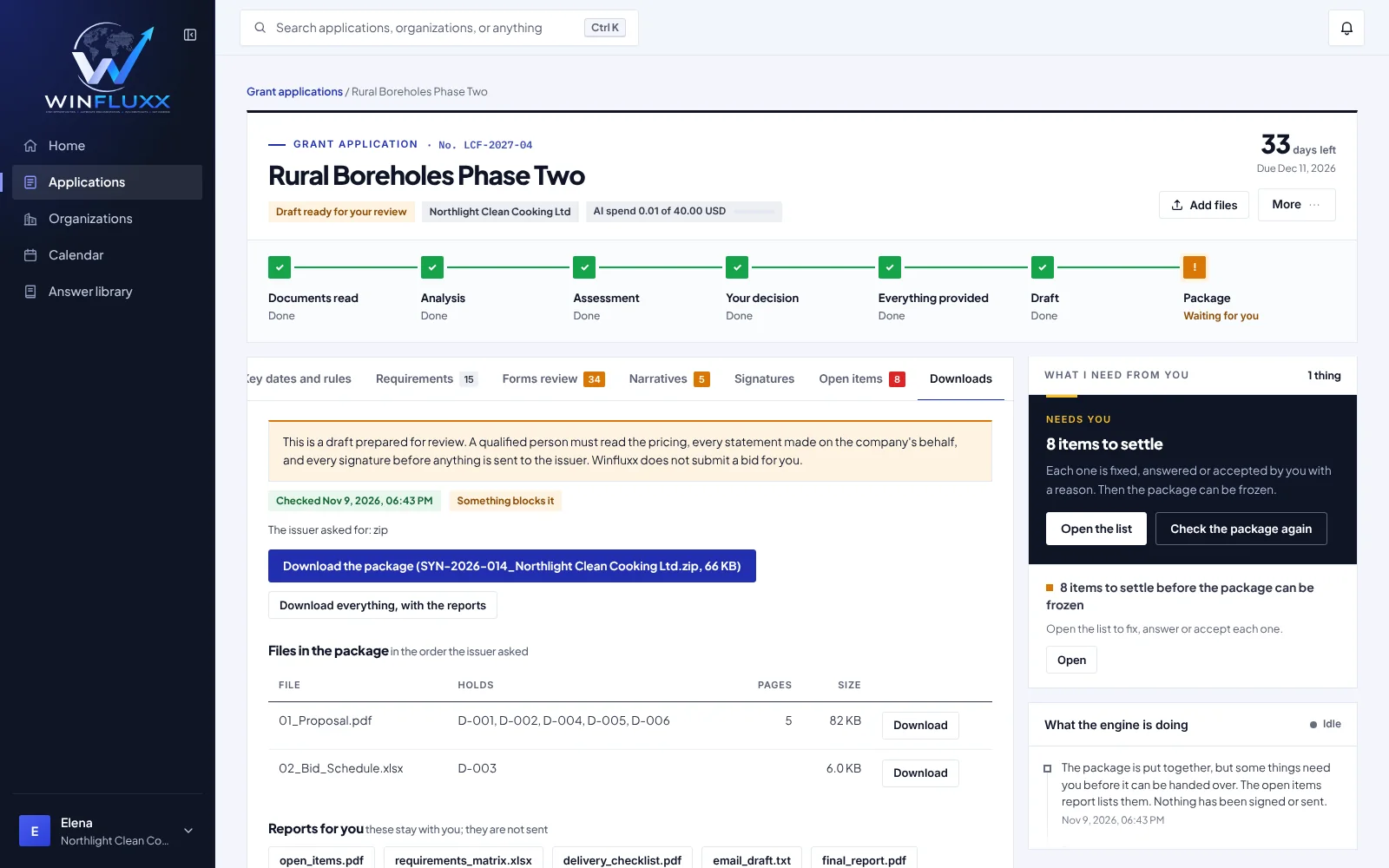
Freeze it, then send it yourself

The package is built in the order the funder asked, with reports that stay with you. When everything is settled, you freeze it so that what you send is exactly what was checked. Winfluxx never submits an application for you.

  • Files in the order the funder asked, ready to download
  • Reports for you stay with you; they are not sent
  • Pages that need an original signature are listed
Grant Engine downloads: the package files in the order the funder asked, the reports that stay with you and the pages that need an original signature

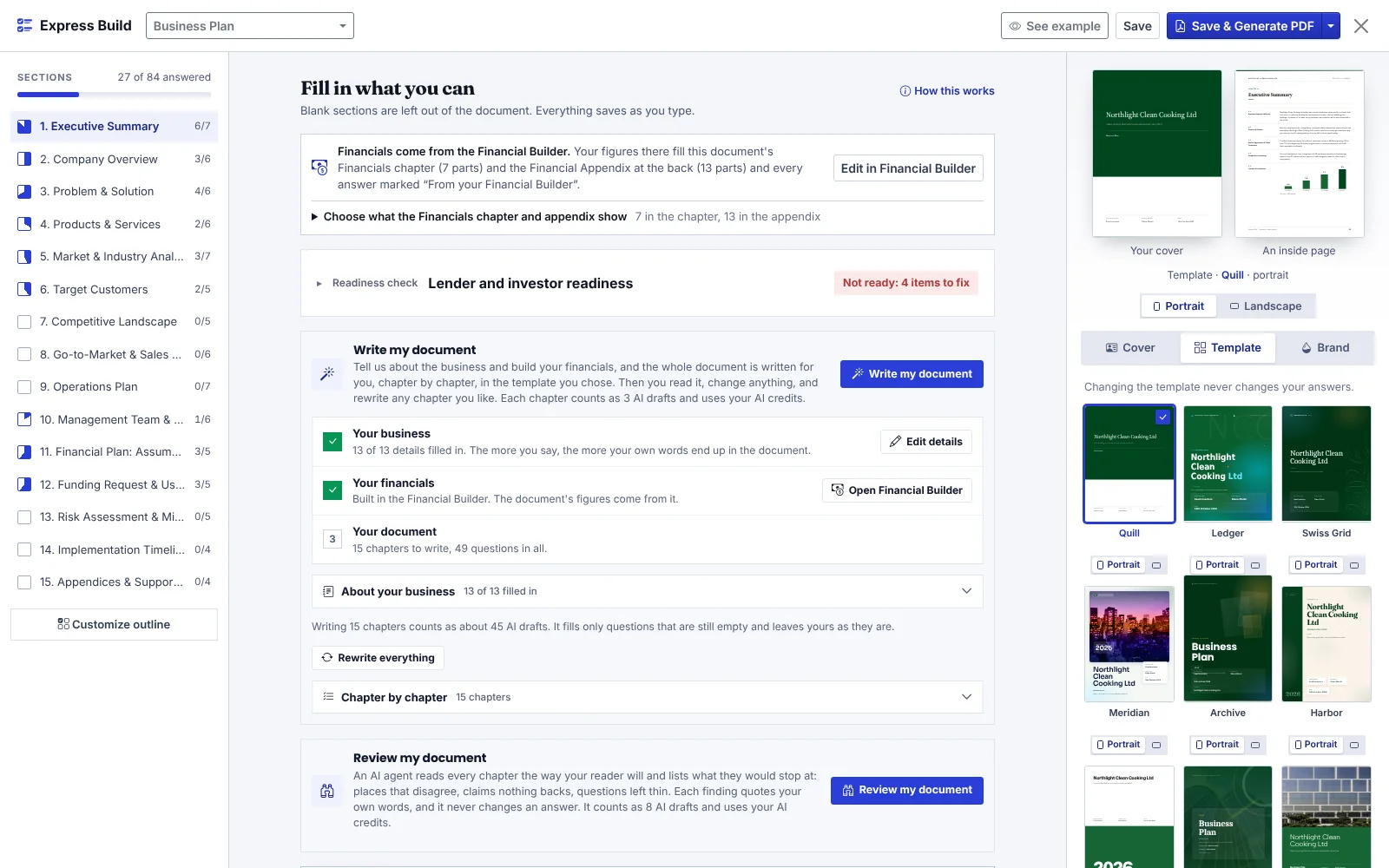
Answer in plain language, then pick a template

Express Build asks for what you know, section by section. Blank sections are left out, and changing the template never changes your answers.

  • Questions for every section of the document
  • Your own cover, shown live in each template
  • Saves as you type
Document Builder Express Build: the sections and how many questions are answered on the left, the steps to write the document in the middle, and the choice of templates beside the live cover on the right

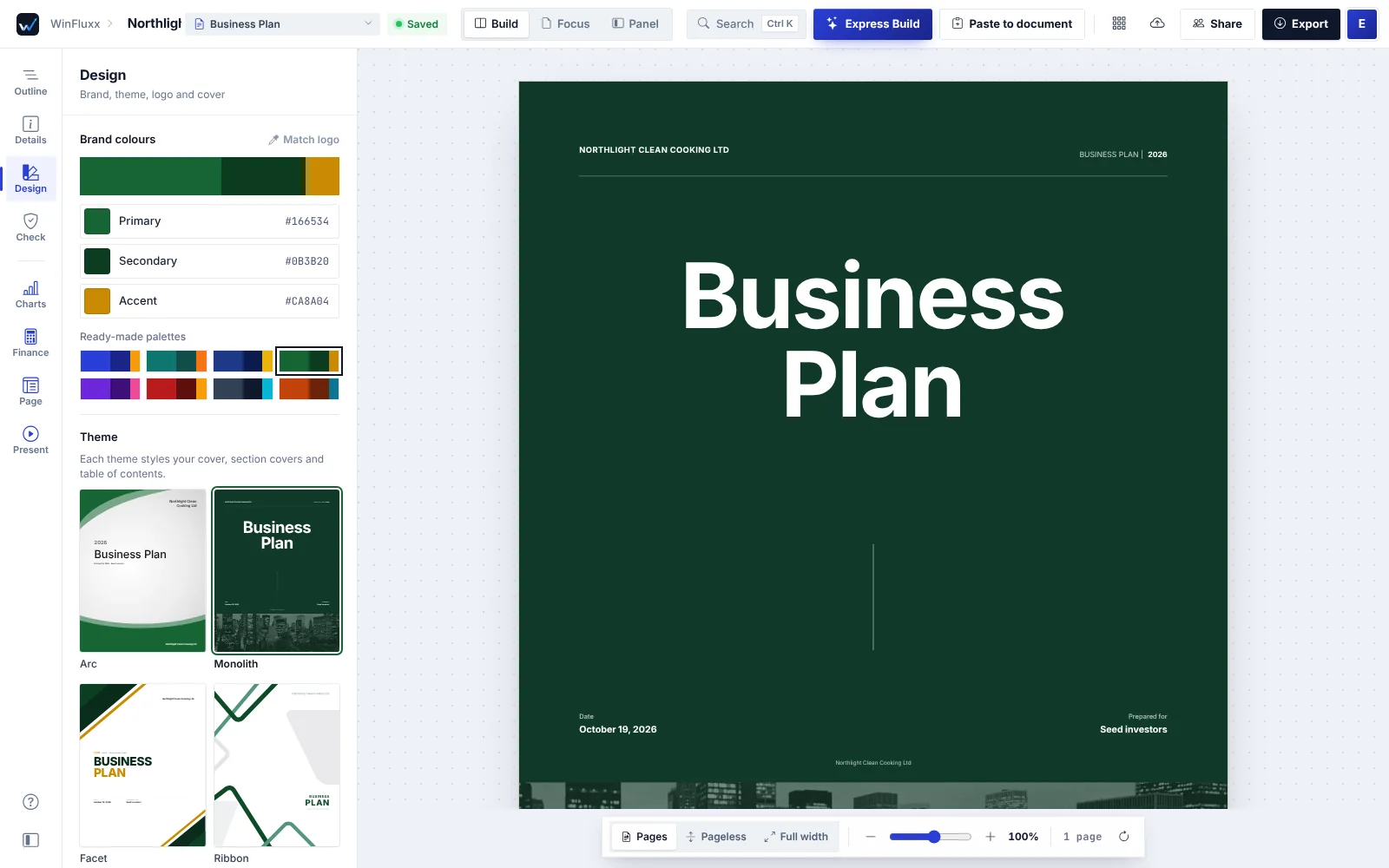
Your logo and colors on every page

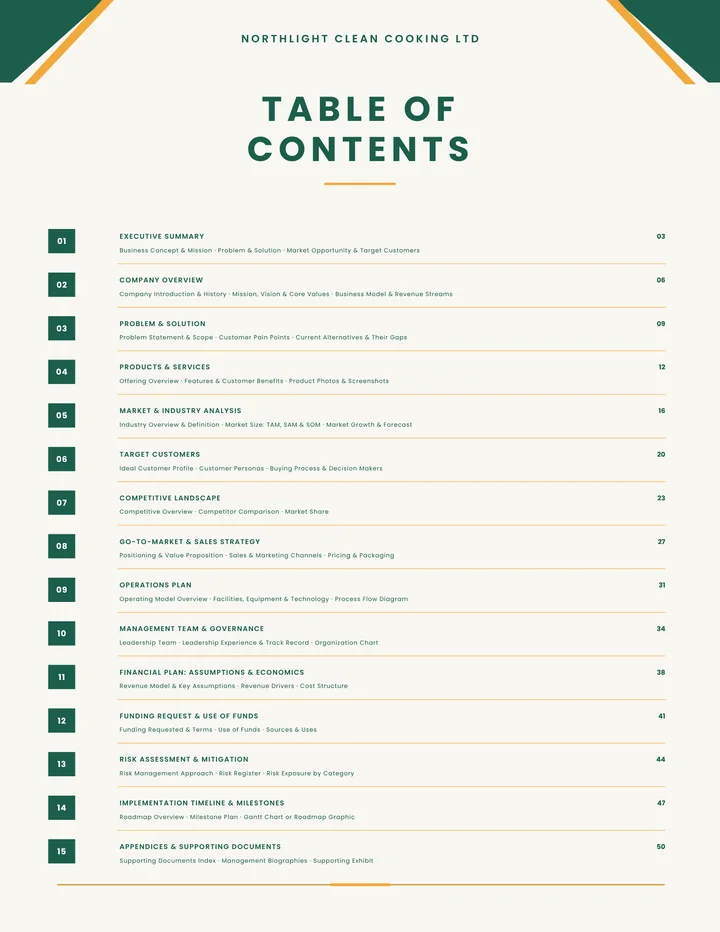
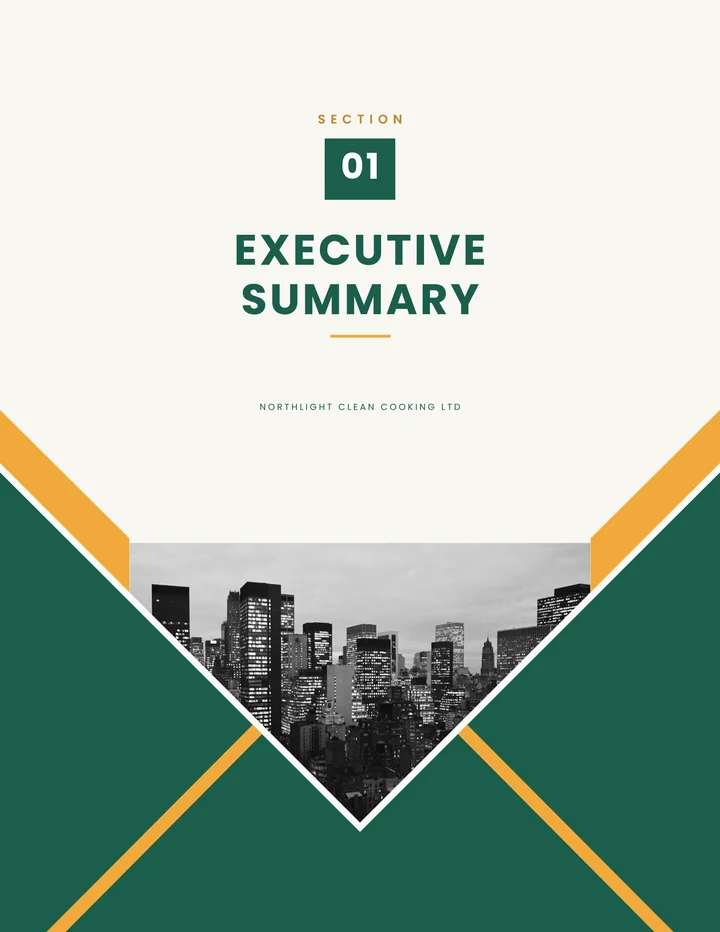
Set your brand colors and logo once. Each theme styles the cover, the section covers and the table of contents with them, and the documents carry no Winfluxx branding.

  • Brand colors and ready-made palettes
  • Themes for covers and section pages
  • Hard-to-read text colors corrected in Express Build PDFs
Document Builder design panel with brand colors, palettes and cover themes beside a live cover

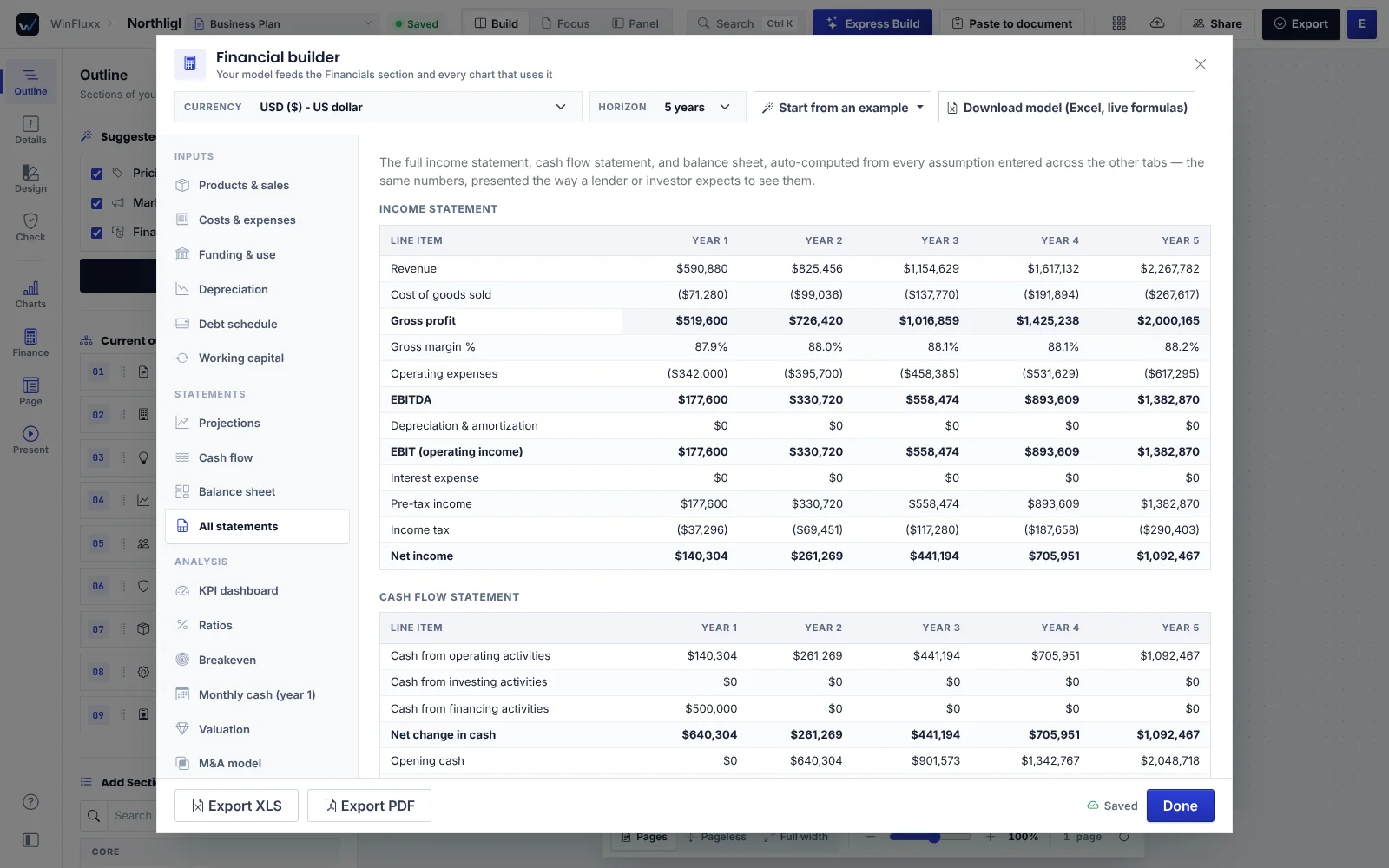
A financial model that feeds your document

Enter your products, costs and funding once. Projections, cash flow and the balance sheet build themselves, and flow into the document, its charts and a financial appendix at the back.

  • Income statement, cash flow and balance sheet
  • KPIs, ratios, breakeven, valuation and scenarios
  • Export to Excel or PDF, or print every statement in your plan’s appendix
Document Builder financial builder showing a five-year income statement with the cash flow statement below it

Build section by section, with a live preview

Choose the sections your document needs and write each one, with AI drafting to help. Present it full screen, share it, or export it when it’s ready.

  • Suggested sections for each document type
  • Charts, page and layout controls
  • PDF, Word and PowerPoint downloads
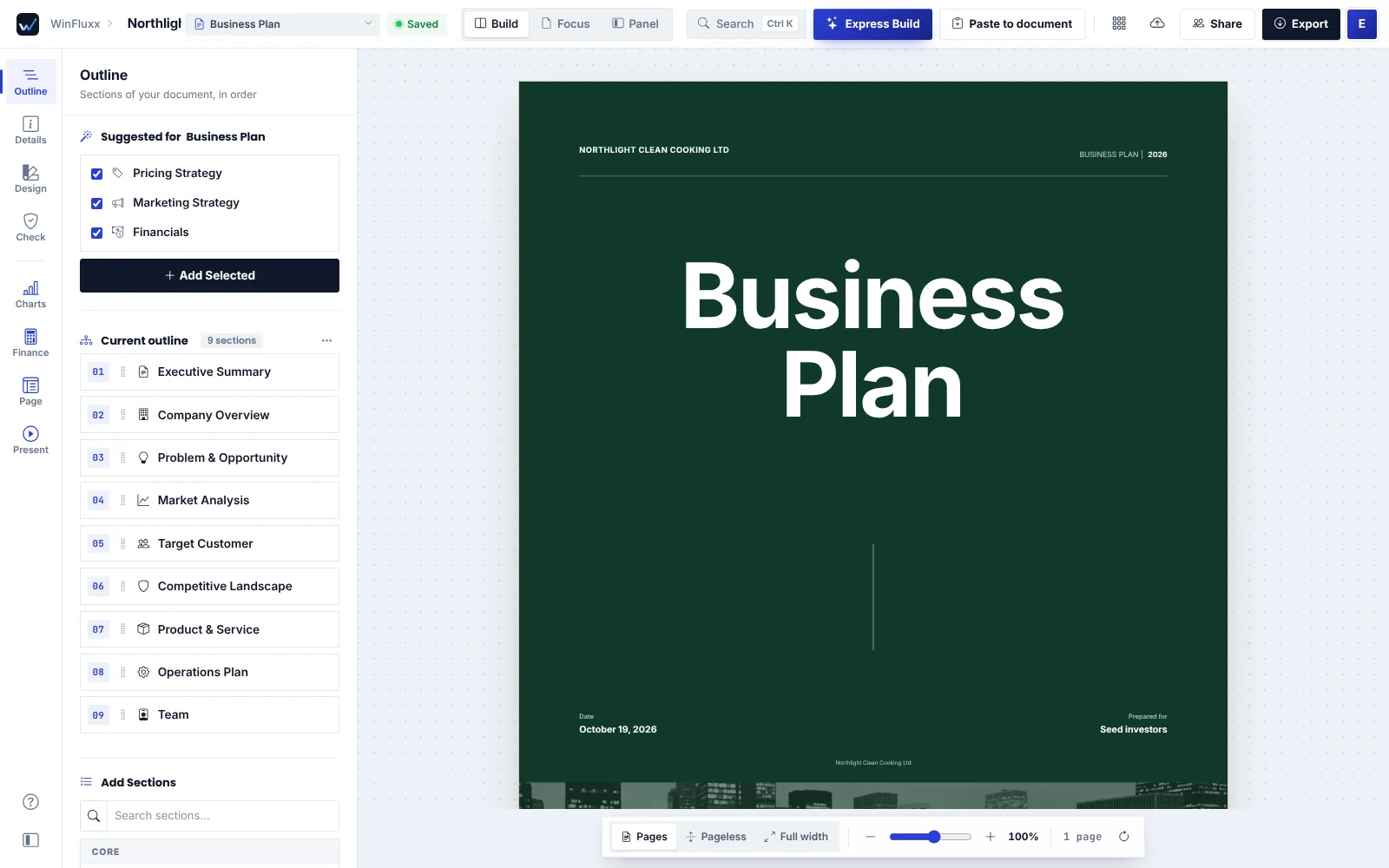
Document Builder editor with the suggested outline beside a live document cover

Screens show sample data. Every organization, funder and figure in them is fictional.

An application, start to finish

The Grant Engine is the guided workspace behind every grant application. Seven steps, each with one clear next step.

  1. 1

    Documents read

    Add the funder’s documents, or paste their text. The engine reads what you give it, and only that.

    You addRules countAI reads

  2. 2

    Analysis

    The engine reads the documents closely: what is asked, what is required and what counts.

    AI readsYou add what it missed

  3. 3

    Assessment

    It weighs your organization against each condition, looks at who else is likely to apply, and advises whether to go on.

    AI weighsRules set the fit level

  4. 4

    Your decision

    Read the advice, then decide. To go on, say in your own words what the engine concluded, so that going on is a decision and not a click.

    You decideRules keep your words on record

  5. 5

    Everything provided

    The last time the engine asks: the funder’s documents, the questions, the budget template and the details of your project.

    Rules list what is missingYou confirm

  6. 6

    Draft

    The engine drafts the funder’s forms first, then the written answers. It does not stop to ask you questions.

    AI drafts and checksYou fill the marked gaps

  7. 7

    Package

    It builds the package and checks it against the funder’s requirements. You settle what is open, freeze it, and send it yourself.

    Open items gate the freezeYou settle, freeze and send

Grant Engine downloads: the package files in the order the funder asked, the reports that stay with you and the pages that need an original signature

Illustrated with sample data.

  • Rules decideThe fit level, the checks and what blocks a package are worked out by code, never guessed.
  • AI reads and draftsIt reads the funder’s documents and drafts the forms and answers, only from what it holds.
  • You chooseYou decide whether to go on, fill the marked gaps, freeze the package and send it yourself.

Answer an RFP with every requirement accounted for

Upload the solicitation. The RFP Engine works out what the issuer asked for, prices the bid from your rates, fills in the forms, writes the narrative and builds the response package in the shape the issuer required. You approve the price, sign, and send.

  1. 1
    FilesAdd the solicitation as files, folders or zips. Scanned pages are read, and old Word and Excel formats are opened.
  2. 2
    ReadThe engine finds the rules (due date and time zone, where and how to deliver, signatures) and every obligation, each with its quote.
  3. 3
    PriceEach priced item is built from your rates and price list. Every figure is checked against a second calculation, and you approve the total.
  4. 4
    FormsBlanks are filled from your company facts, the project and your answers. Signatures and sworn statements stay for a person.
  5. 5
    DocumentsNarratives and letters follow the issuer’s own sections. A sentence that no evidence supports is taken out or marked for you.
  6. 6
    PackageThe response is put together the way the issuer asked, then checked file by file.
  7. 7
    FreezeWhen everything is settled you freeze it, so what you send is what was checked. You send it yourself.

What the issuer asked for38 found

  • Due 21 March, 2:00 pmAddendum 2 moved it from 14 MarchAddendum
  • Two documents gave different bid bond amountsThe engine asked you, and did not chooseAnswered

PriceApproved by you

  • Total $482,600Every figure checked against a second calculation

Forms11 of 11 filled

  • 2 forms wait for your signatureSignatures are always left for a person

Package6 files

  • In the order and file names the issuer askedChecked file by file before you freeze it

Illustrated example with sample data. Every name and figure in it is fictional.

Designed documents, in your brand

Document Builder turns your answers into finished business documents. Your logo and colors lead every page, and the documents carry no Winfluxx branding.

  • Express BuildAnswer in plain language, section by section. Blank sections are left out.
  • 43 templates in Express BuildEach of the 14 document types offers all 43. Changing the template never changes your answers.
  • Your brand, kept legibleLogo and colors set once. In Express Build PDFs, a text color that would be hard to read is corrected.
  • Financial BuilderProjections, statements and ratios from one model, feeding the document.
  • PDF, Word and PowerPointWord and PowerPoint downloads use the colors of the style you chose.

Pick a look. Your answers stay the same.

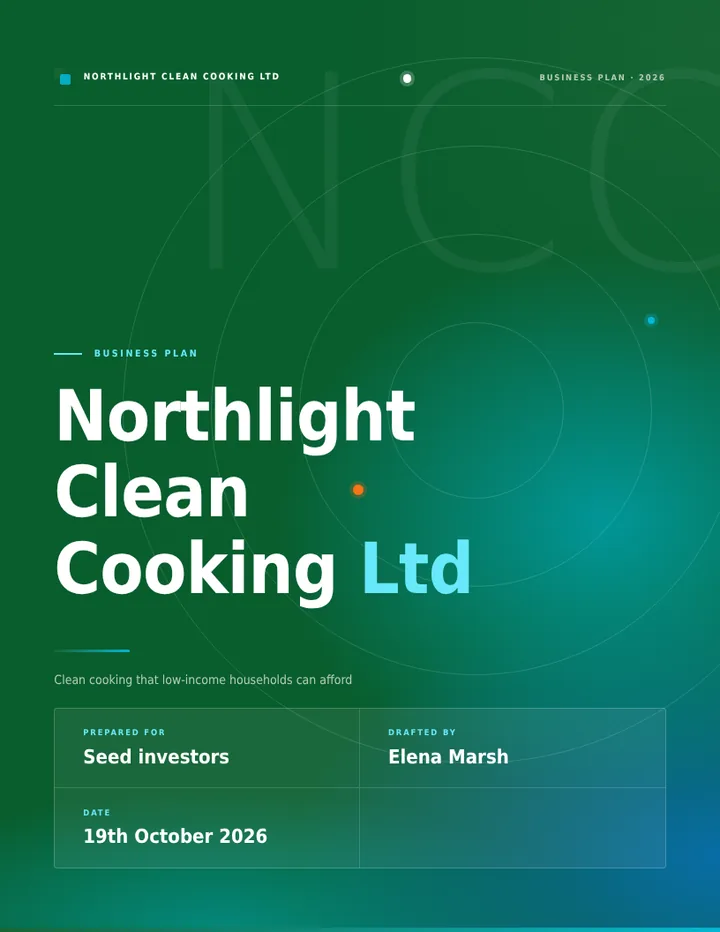
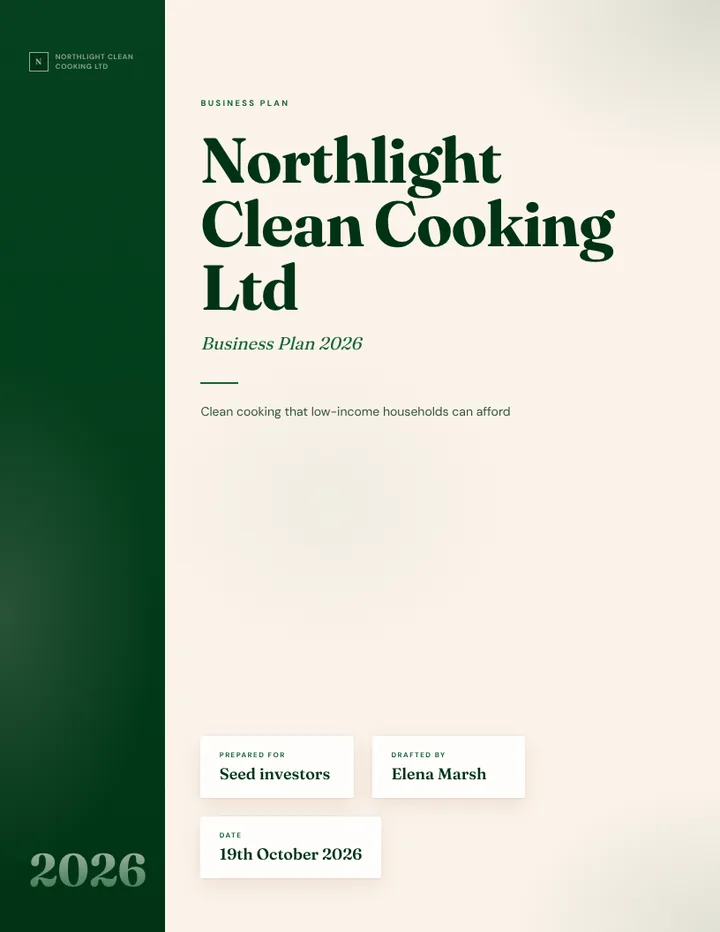
  • Quill template cover
    Quill
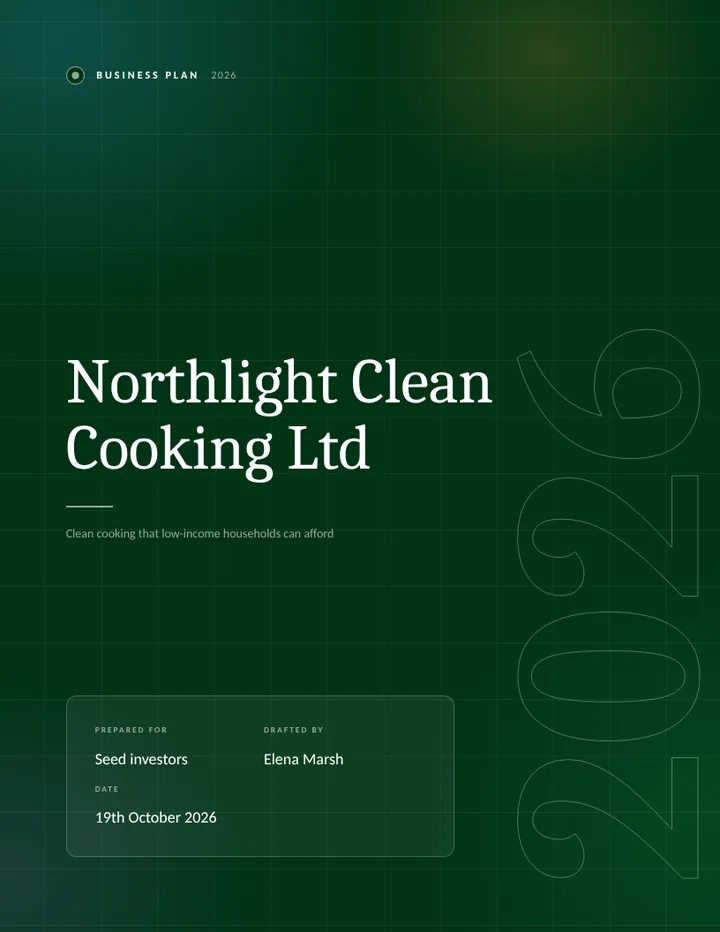
  • Ledger template cover
    Ledger
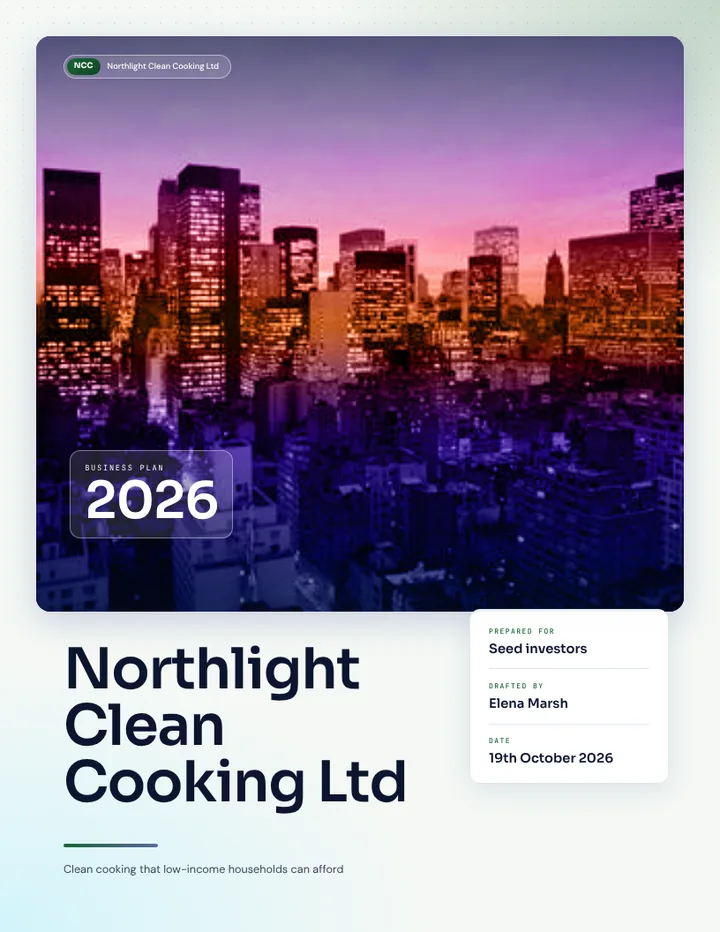
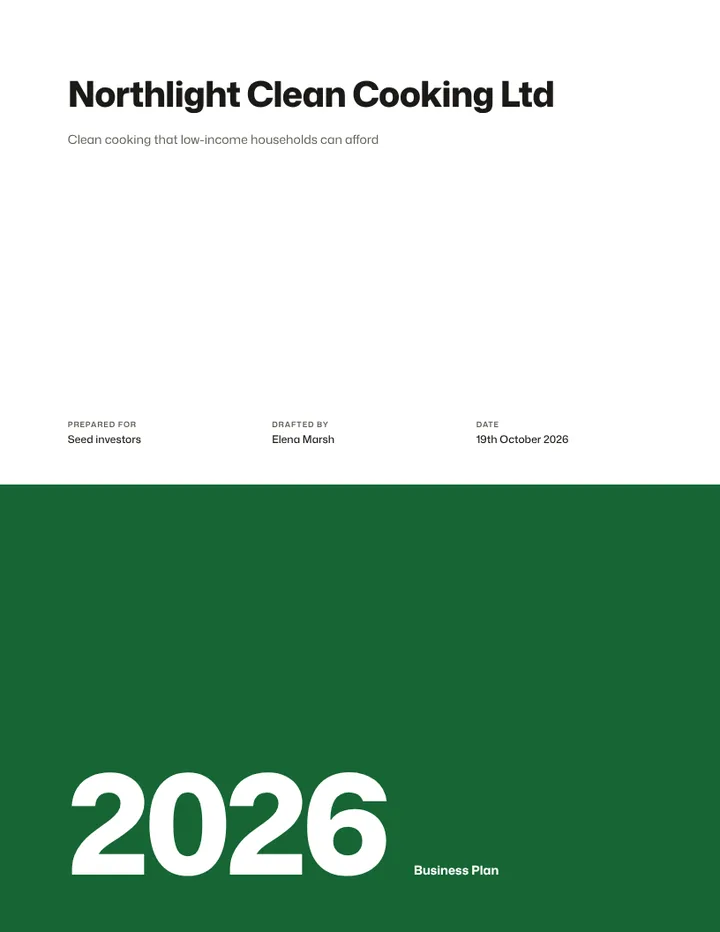
  • Swiss Grid template cover
    Swiss Grid
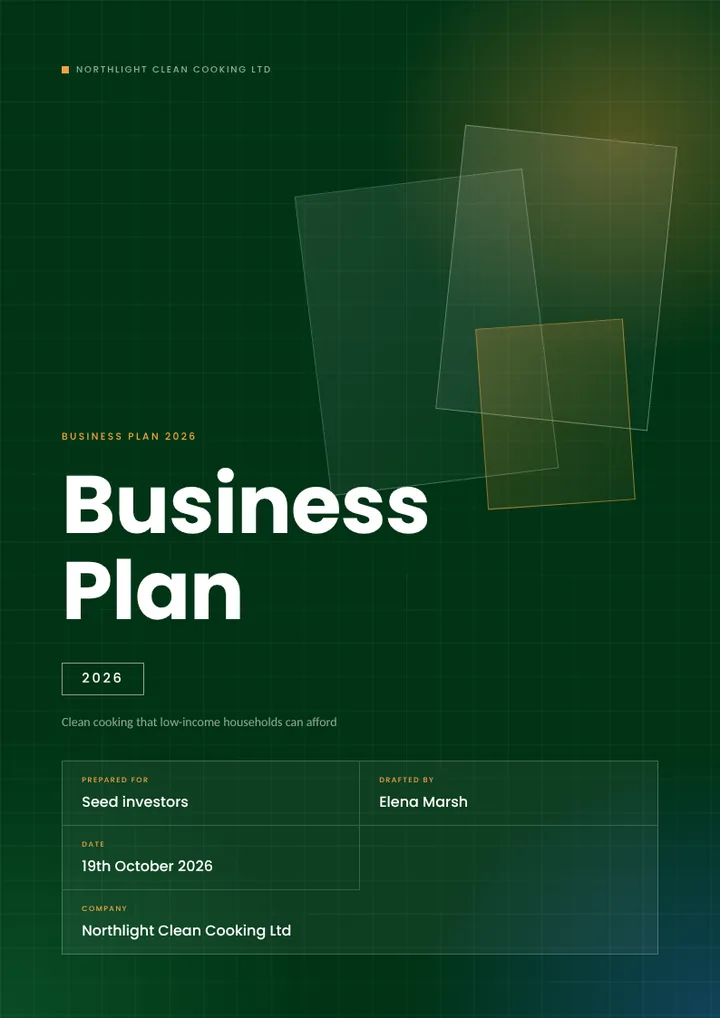
  • Meridian template cover
    Meridian
  • Archive template cover
    Archive
  • Harbor template cover
    Harbor
  • Headline template cover
    Headline
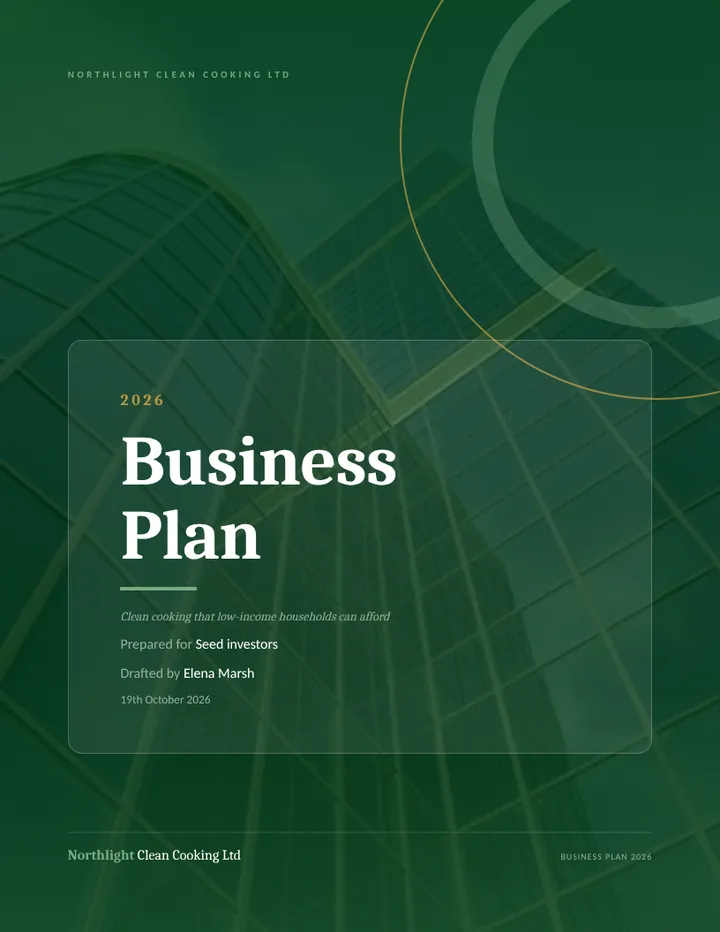
  • Arc template cover
    Arc

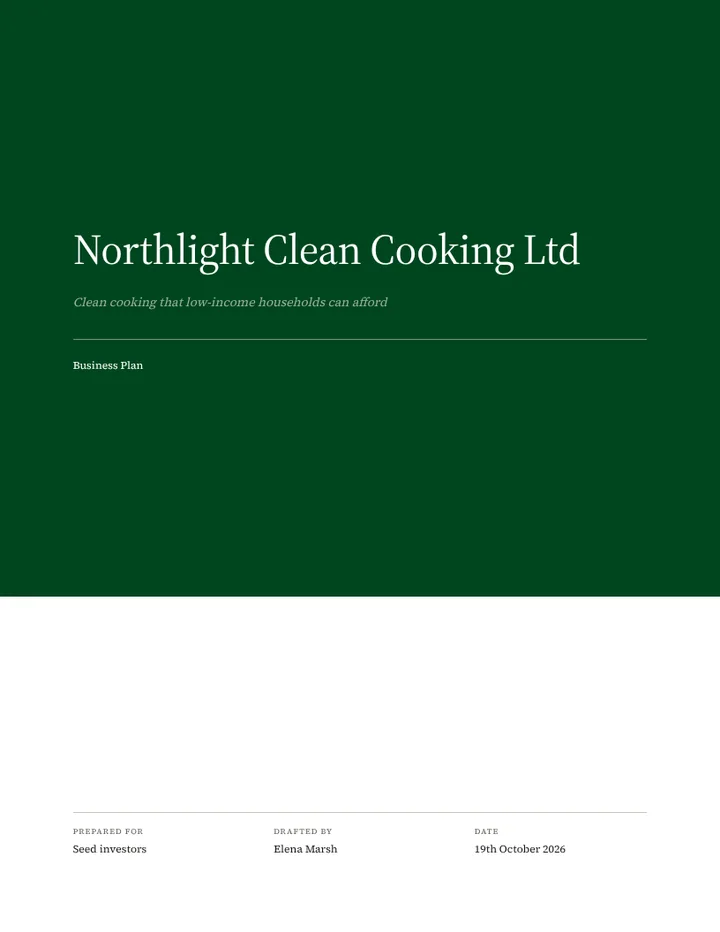
Sample covers from the Document Builder, shown in one company’s brand colors.

14 document types

  • Business plan
  • Pitch deck
  • Grant proposal
  • Investor memorandum
  • Due diligence report
  • Annual report
  • Feasibility study
  • Strategic plan
  • Operational plan
  • Capability statement
  • Company profile
  • Marketing analysis
  • Partnership proposal
  • Sustainability report

Plus 26 immigration business plan types, from the E-2 Treaty Investor to the UK Innovator Founder route.

Built for teams without a grants department

A guided workflow, a profile you write once and a rules check, for teams that have no one dedicated to grants.

  • Nonprofits

    Foundation and government grants, filtered to the ones you’re eligible for.

    SearchGrant Engine

  • Government contractors

    Agency RFPs, with your capability profile reused on every bid.

    RFP EngineDocument Builder

  • Startup founders

    Venture, angel and development-finance investors, and the memo they ask for.

    SearchDocument Builder

  • Consultants

    A separate workspace for each client and each application, deleted cleanly when the work is done.

    Grant EngineDocument Builder

Pricing

Creating an account is free. For organizations that use Winfluxx at volume, we invoice by bank transfer or, in Nigeria, send a secure Paystack payment link.

Start free

For teams and consultancies

  • Free to create an account
  • Invoiced to your organization
  • Bank transfer, or a Paystack link in Nigeria
  • No automatic card charges
Create free account

Your next application, ready to start.

Create a free account, open a listing, and see what the engine needs from you.